Open a repo, browse code, make edits, and move on — in seconds. A native macOS editor under 1 MB built with Swift and AppKit. No Electron, no bloat.
$ brew install --cask lite-edit
Install and update via Homebrew Cask.
$ brew install --cask lite-edit
Requires Xcode CLI Tools and macOS 13+.
$ git clone https://github.com/arietan/lite-edit && cd lite-edit && bash build.sh
Clone a project, open the folder, and start reading code — no plugins to install, no indexing to wait for.
Change a YAML value, fix a JSON key, update an env file. Open, edit, save, done.
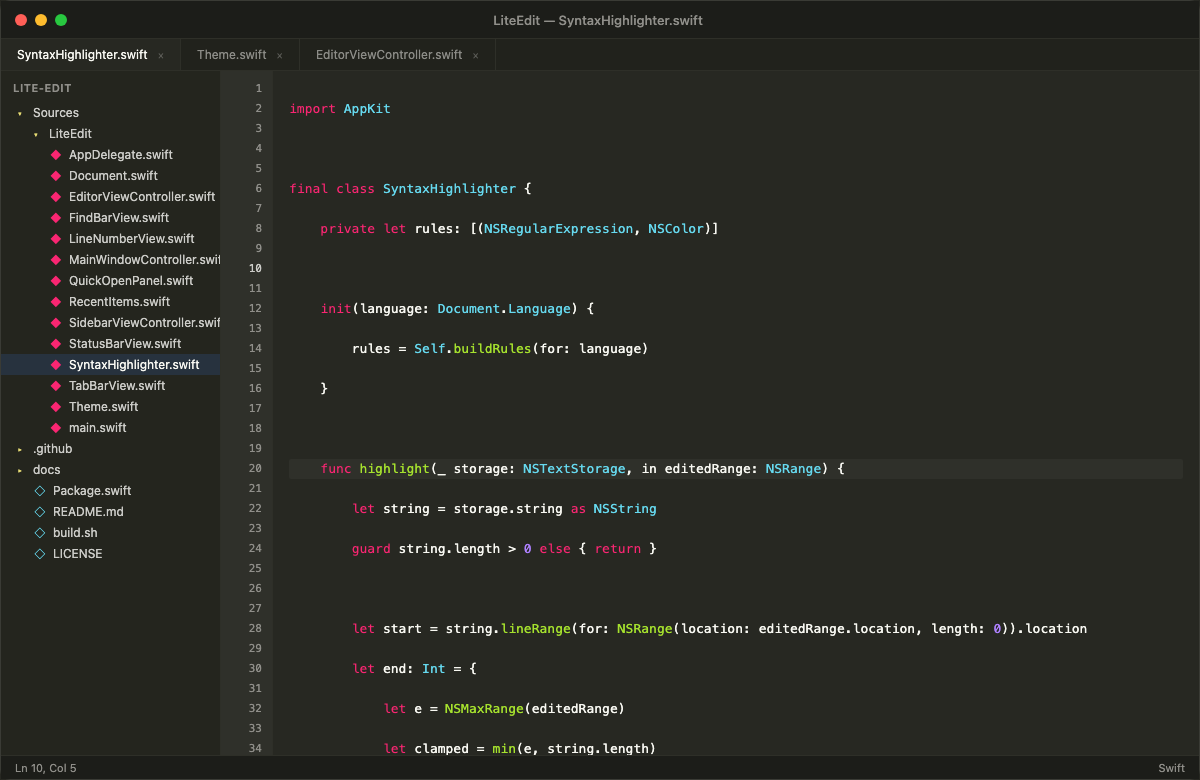
Syntax highlighting for 20+ languages, find & replace, and quick open — without loading a full IDE.
Keep LiteEdit open alongside your main IDE for scratch files, notes, or quick references.
20+ languages out of the box. Swift, Python, JS, TypeScript, Rust, Go, C/C++, HTML, CSS, JSON, YAML, SQL, and more.
Select a word, hit Cmd+Shift+L to select all occurrences, then type to replace them all at once.
Open multiple files in tabs. Cmd+W to close, Cmd+click to open in a new tab from the sidebar.
Cmd+P to fuzzy-search and jump to any file in the project. Find & Replace with regex support.
Sidebar with full folder-tree navigation. Open any project and browse its structure.
Remembers your folder, open tabs, cursor positions, and window state across restarts. Pick up where you left off.
| Shortcut | Action |
|---|---|
| Cmd + N | New file |
| Cmd + O | Open file |
| Cmd + Shift + O | Open folder |
| Cmd + S | Save |
| Cmd + W | Close tab |
| Cmd + F | Find & Replace |
| Cmd + P | Quick Open |
| Cmd + G | Go to line |
| Cmd + B | Toggle sidebar |
| Option + Up/Down | Move line up/down |
| Cmd + Shift + K | Delete current line |
| Cmd + Shift + L | Select all occurrences (multi-cursor edit) |
Download the DMG, drag to Applications, and you're editing in under a second. No account, no setup, no telemetry.
